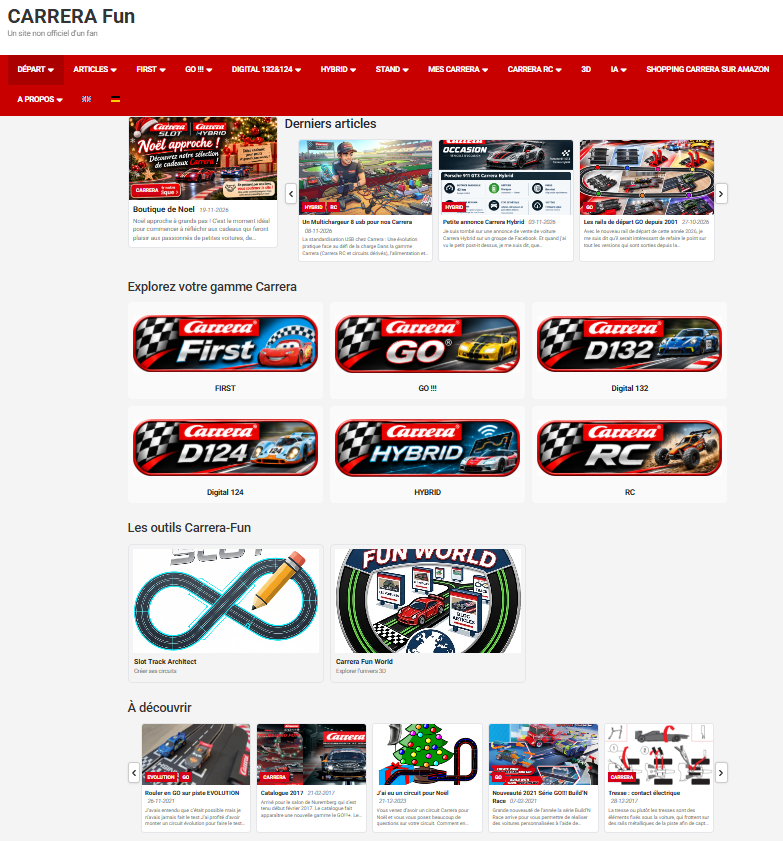
As the year draws to a close, we’ve redesigned our homepage to make it clearer and more spacious.
The goal is to make it easier to access essential site features, especially the tools. A few adjustments and corrections are still planned in the coming days to perfect the overall look.
Only the homepage has been revamped so far: we invite you to explore these new features now!
The homepage
The homepage has undergone a major refresh.
The top section displays the latest articles, with the most recent one highlighted. Older articles scroll by, up to a limit of 10.
Below the articles, six large buttons have appeared, representing the main Carrera product lines.
- First
- GO
- Digital 132
- Digital 124
- Hybrid
- RC
Clicking on a product line will take you to a dedicated page for that line, which you can explore further down this article.
The third section of the page features Carrera-Fun tools, which are the main tools we’ve developed and which are useful for several product lines. You can find these dedicated tools on the relevant product line’s page.
Finally, at the bottom, you’ll find random articles to discover or rediscover from the site’s creation in 2017.
Below is the interface.
The homepage range
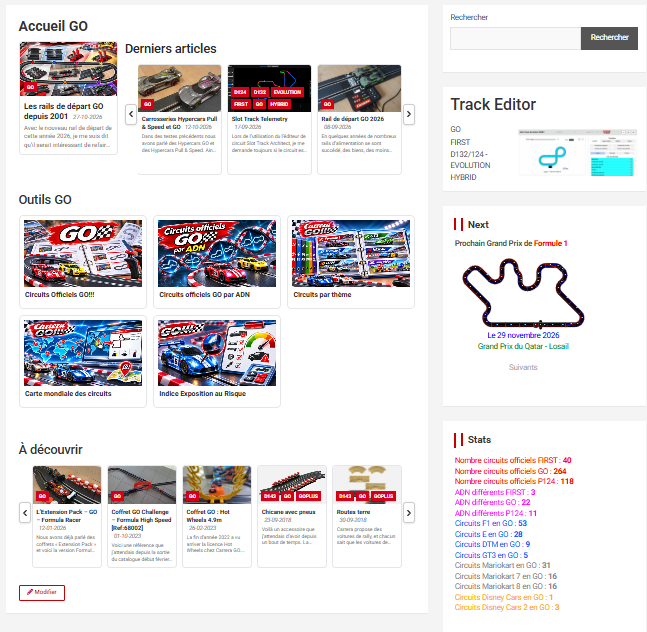
Each product range has its own homepage featuring not only its products but also its tools. It’s based on the same structure as the main homepage, but without the buttons.
Tools that might otherwise be buried in the menus are thus highlighted.
The page for all articles
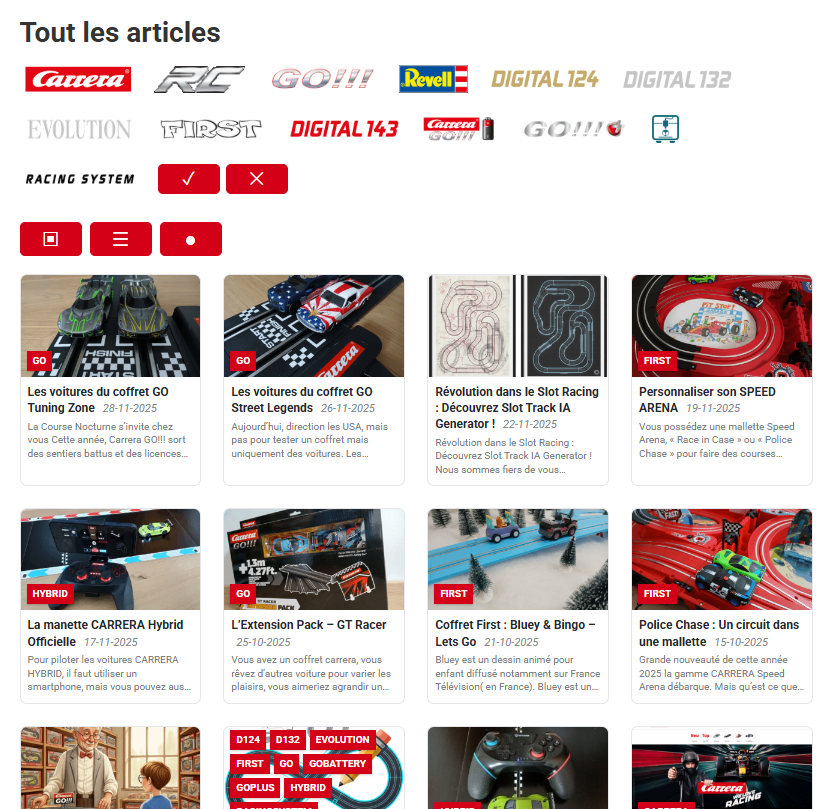
A new page will be added to the menus, displaying all articles so you can browse them without navigating through dozens of pages.
More articles will be displayed on the screen, and you’ll have the option to dynamically hide product pages for certain ranges to simplify your search.
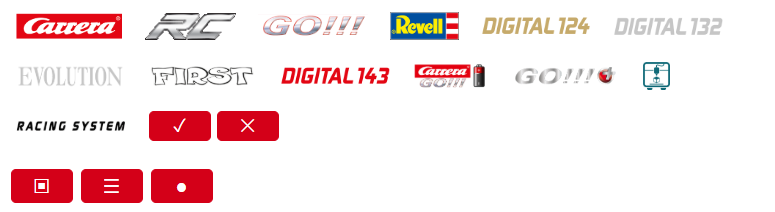
At the top, you’ll find an icon for each category. Simply click on it to hide only the items related to that category.
The “V” and “X” buttons allow you to show or hide all product ranges as needed.
If you wish to improve visibility, three additional buttons allow you to show or hide:
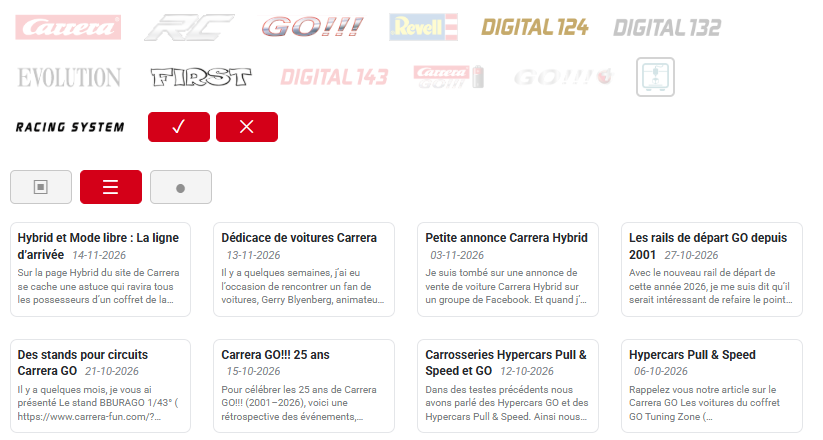
- Labels on the photos
- Photos
- Descriptions
Thanks to this, you are in control of your displays to use the one that suits you best.
I hope you enjoy these changes.
Enjoy your visit.