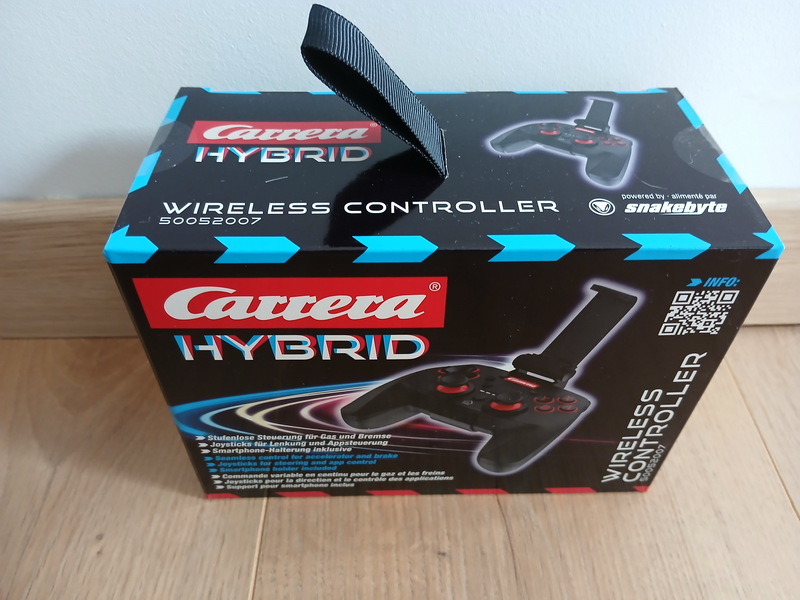
To drive CARRERA HYBRID cars, you need to use a smartphone, but you can also pair a Bluetooth controller to steer your car. We previously wrote an article about this driving method using a Nintendo Switch controller.
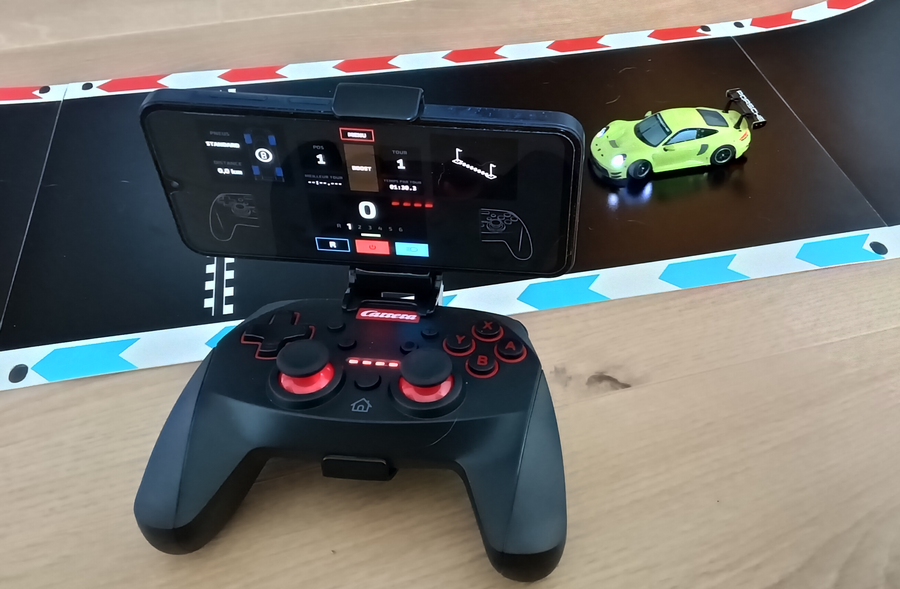
Well, this year, CARRERA is releasing its own controller. It looks like a console game controller, with all the buttons. And like drone remotes, it has a smartphone holder. Regarding this controller, the Hybrid name is certainly fitting.
As soon as I received the controller’s packaging, I noticed something I’d never seen on a CARRERA product: the strap on top of the box. I thought it must have a special function and not just be a loop for hanging the box on store shelves. Maybe a neck strap to hold the controller hands-free. Well, after opening it… no, it’s just for hanging the box.
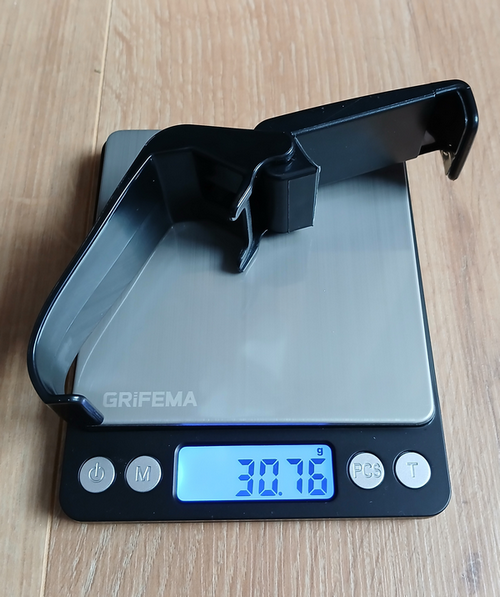
Upon opening the box, you’ll find the controller, a smartphone holder for the controller, and a small instruction leaflet.
Simply clip this holder onto the controller.
A quick weigh-in reveals its weight: the accessory weighs approximately 31 grams.
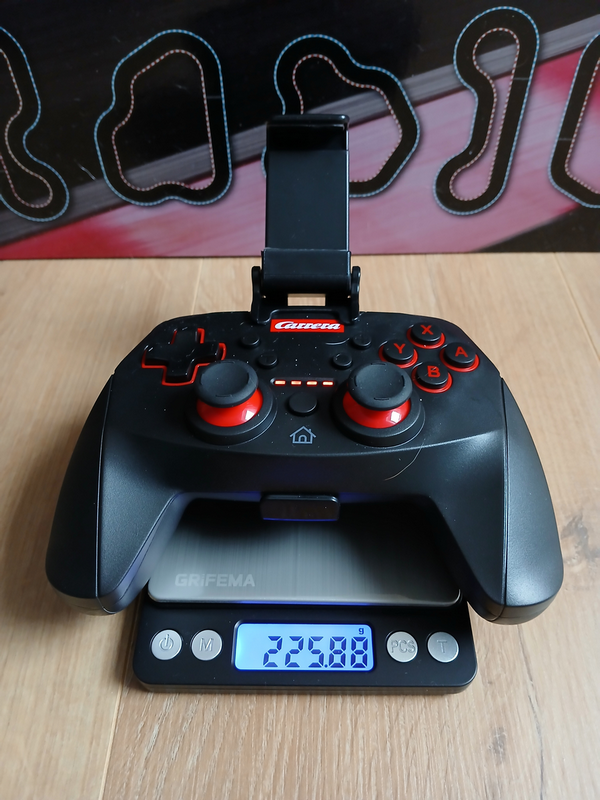
The controller
Its resemblance to an unofficial game console controller is striking: it adopts the general shape, the grips, and the buttons. It’s precisely this ergonomics, proven by gamers, that is reassuring. Only the discreet CARRERA logo betrays its true purpose and confirms its belonging to the famous range.
The addition of the mount radically transforms the Carrera Hybrid: it ceases to be a simple game controller and becomes a true cockpit dedicated to drones or remote-controlled (RC) devices.
To attach your smartphone, simply extend the U-shaped arm, which will adjust perfectly to the width of your device. A crucial tip: if you are using a wallet-type case, it is strongly recommended to remove it. This ensures optimal stability and secure attachment of the phone to its mount.
Without a phone, the controller weighs approximately 226 grams.
The instructions
The instructions contain photos of the controller with markings.
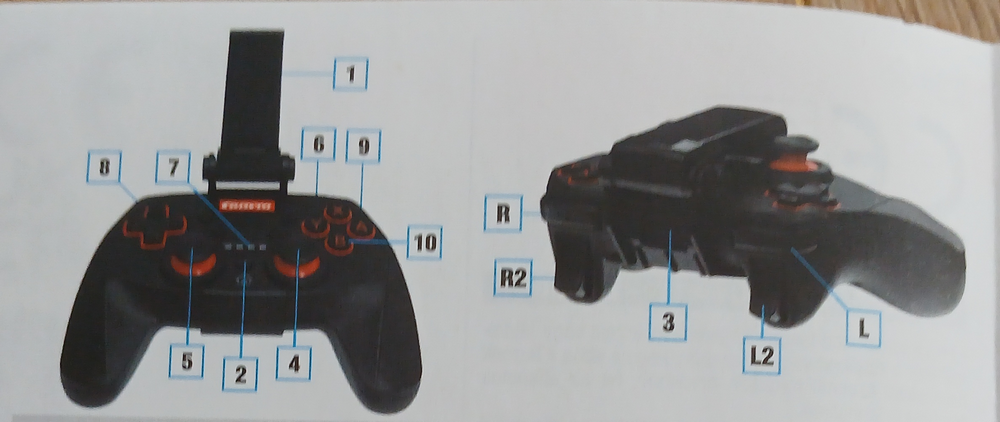
To facilitate a comprehensive understanding of the controls, the manual provides a detailed multilingual reference table. This table clearly indicates the function assigned to each joystick and button.
Below is an excerpt from this table, translated into some of the most relevant languages:
| FR | EN | DE | |
| 1 | Support de smartphone amovible | Removable smarphone holder | Smartphone Halterung abnehmbar |
| 2 | Mise sous tension / connexion | Power one / connect | Einschalten / Verbinden |
| 3 | Chargement USB-C | USB-C charging | Aufladen USB-C |
| 4 | Volant | Steering | Lenkung |
| 5 | Volant | Steering | Lenkung |
| 6 | Boost | Boost | Boost |
| 7 | Voyant LED | LED indicator | LED Anzeige |
| 8 | Volant | Steering | Lenkung |
| 9 | Frein | Brake | Bremse |
| 10 | Accélérateur | Throttle | Gas |
| L | Boost | Boost | Boost |
| R | Non utilisé | not used | nicht belegt |
| L2 | Frein | Brake | Bremse |
| R2 | Accélérateur | Throttle | Gas |
Installation
Installation is simple and takes place in two steps: Bluetooth pairing and configuration in the application.
Step 1: Bluetooth Connection
- Activate Bluetooth on your smartphone (iOS or Android).
- Turn on the Carrera Hybrid controller. It should automatically enter pairing mode.
- Search for Bluetooth devices on your phone.
- Select the device named “Carrera Hybrid Controller”.
- Pairing is usually instantaneous. The controller is now connected to your phone.
Step 2: Configuration in the Application
- Open the CARRERA HYBRID app.
- Go to the app’s Settings.
- In the “Driving Mode” section, select the “External Controller” option.
And there you have it! The controller is now ready to take control of your races or your drone.
Driving
It’s time to get started and test it out. I consult my little instruction manual to locate the buttons. I fumble around a bit and get a feel for it. Some buttons aren’t even listed in the manual.
- The + button starts and stops the engine.
- The – button displays information and statistics such as times.
- The X button turns the headlights on and off.
- R1 engages or disengages reverse gear.
- L1 engages drive gear.
It’s a real shame the manual doesn’t mention this!
But that’s not all. If you read my review of the Action Switch controller, I mentioned that the buttons weren’t configurable. Well, that was two updates ago, because now it is. Thanks, Carrera!
With the controller in hand, I’m enjoying the familiar feel of driving with the joysticks, just like with a good old-fashioned remote control. I’m from the generation that drove with this type of controller before the 2000s. For me, driving with a smartphone is a real pain; I’ll leave that to the kids.
Since there’s no need to twist the controller, and therefore the phone, around, checking the information on the screen is much simpler, but keep your eyes on the track. Take advantage of it, because the Carrera Hybrid is the only time you’re allowed to drive while looking at your phone.
The laps fly by and my driving precision improves; the controller responds perfectly to commands and my lap times improve. I can’t wait for the next family race; I’ll have a real shot at winning.
The review
Yes, we have to find something to criticize, so here’s one: it’s a shame there isn’t a small ring to attach a neck strap to keep the controller close to your body without having to put it on the ground, so you can have your hands free. It’s not essential, though; we expect a well-designed and 100% practical controller from Carrera.
Note: I tried to pair the Carrera controller with the Switch but unfortunately, without success.
Conclusion
If you don’t like driving with a phone, don’t own a game console controller, and are a Carrera fan, this controller is a great choice. The price is somewhere between an official controller and an alternative one, plus it includes a phone holder.
Reference: 50052007
Suggested Retail Price: €40