I was looking for a slightly original interface idea for my Carrera website. Something with a racing theme that would allow users to easily discover or rediscover articles and tracks.
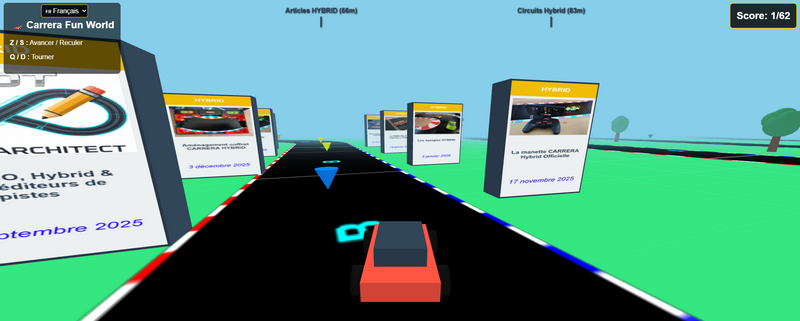
And I had the idea to create a 3D world that users can explore with a small car, displaying many of the site’s elements as totems.
After several versions to test, improvements, and optimizations, I’m sharing this version with you, which will surely be further improved in the future.
For those in a hurry, here’s the link: https://www.carrera-fun.com/world/
Otherwise, here is some information before we begin.
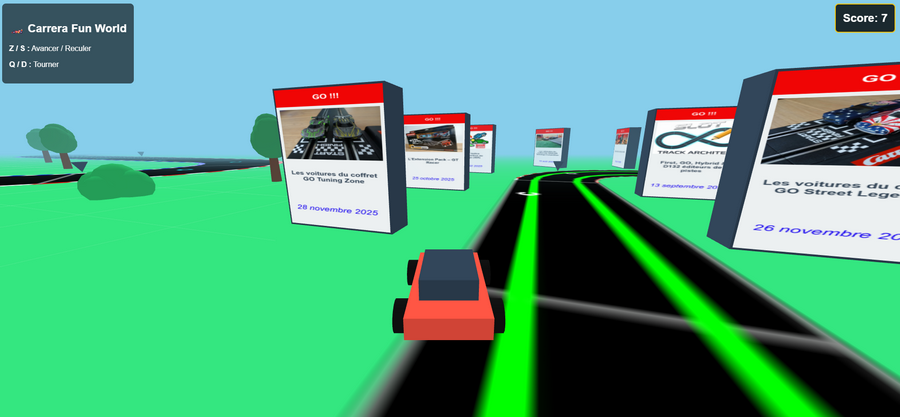
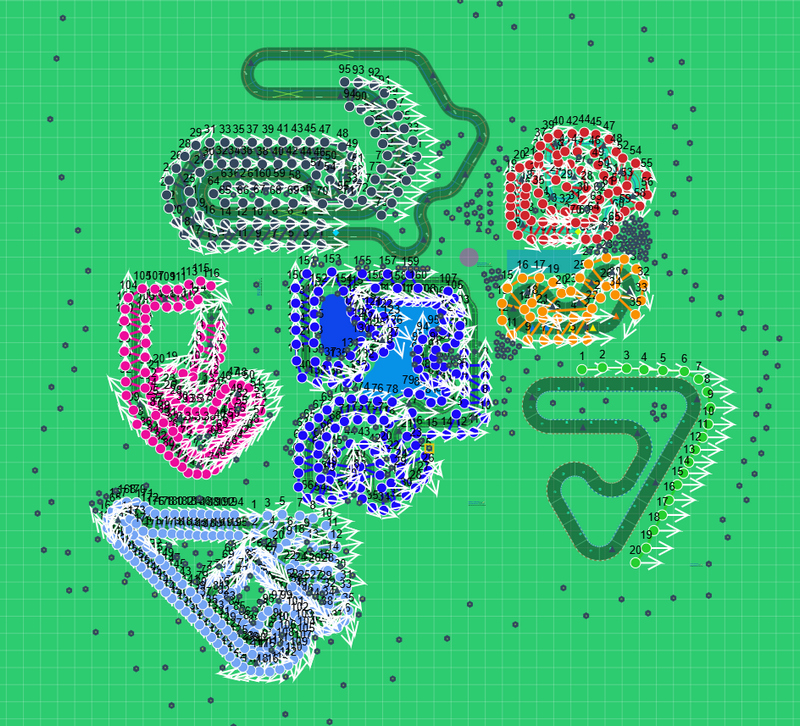
The first thing to do was develop a tool to export information from articles on the website www.carrera-fun.com. To organize all of this in a 3D environment, I developed a world editor where I can place all the different elements.
The world is organized into different tracks, which are visible on the ground with totems all around the track. The tracks and totems are organized by theme.
Since the tracks are on the ground, you can have fun racing around them.
The keys
| Action | Keys (AZERTY keyboard) | Keys (QWERTY keyboard) |
| Move forward / Move backward | Z / S or arrows ↑ / ↓ | W / S or arrows ↑ / ↓ |
| Turn left / right | Q / D or arrows ← / → | A / D or arrows ← / → |
In front of a totem: Press F to access an article
As I mentioned, several themes are present in the world of “Carrera Fun World,” so you will find the following themes there:
- articles on Carrera GO
- articles on Carrera FIRST
- articles on Carrera D132
- articles on Carrera HYBRID
- real circuit plans in GO
- real circuit plans in HYBRID
- GO box set plans
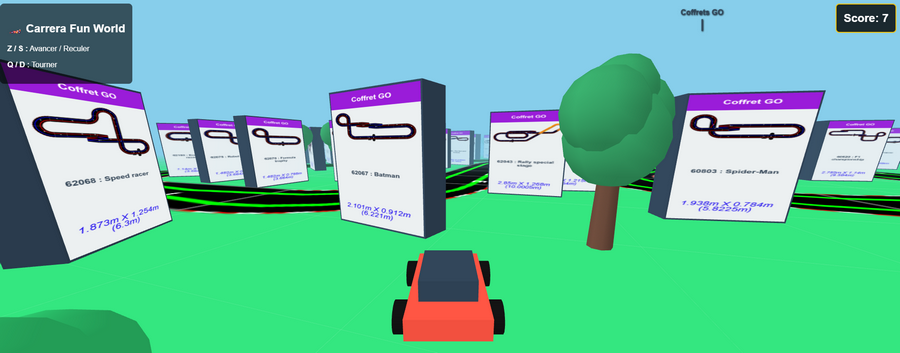
To easily find each theme in this relatively large world, indicators at the top of the screen show the direction of the themes. These indicators show the starting point of the theme’s circuit. To find the direction of the desired theme, simply rotate 360° to see its direction.
To prevent you from getting lost in the vast expanse of the exhibit, virtual markers float at the top of your screen. Similar to an aircraft head-up display (HUD), these indicators calculate in real time the exact distance (in meters) between you and a major area of the exhibit and point precisely in its direction.
Bonus
As a bonus, there are collectibles to find on the various tracks. You can have fun exploring all the tracks to collect them all; the number of collectibles is shown in the top right corner of the screen.
A score counter is displayed in the top right corner of your screen (e.g., 0/15). Geometric cones are hidden in the four corners of the scenery. Drive your vehicle over them to collect them and increase your score! Will you be able to find them all?
You are not alone
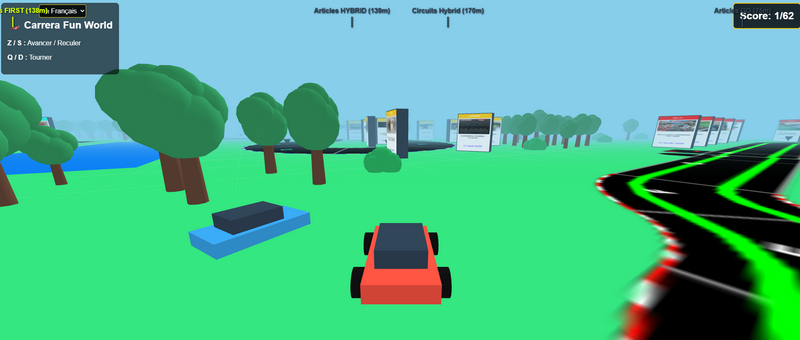
Imagine this virtual world as a large public square. If you log in at the same time as another visitor, you’re not alone: the program brings you together. You drive your red car, and you’ll see other users driving alongside you in the form of blue cars. It’s the virtual equivalent of a shared stroll in a park!
Languages
Language Selector: Located in the top left corner, a drop-down menu lets you instantly switch the experience between French 🇫🇷, English 🇬🇧, or German 🇩🇪. The entire world (menus, totems, categories) automatically regenerates on the fly.
A true miniature world with nothing but CARRERA.
Want to try it out? Don’t wait, click below: