The NASCAR Daytona Challenge set includes an interesting new accessory: the Wireless 2.0 Controller.
Why is CARRERA offering a new version, and what are the differences and new features compared to the first version? We’ll try to answer these questions.
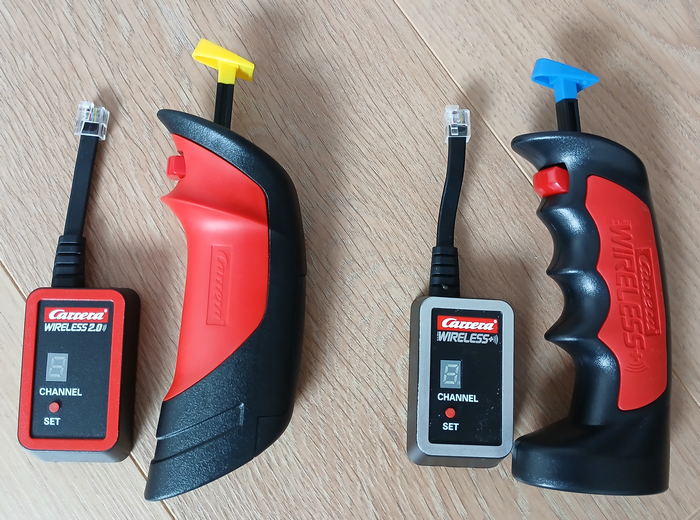
Wireless 1 VS Wireless 2.0
The first thing you notice is the shape of the controller. It’s similar to the CARRERA GO controllers, but larger to accommodate adults. No more molded fingers; now you can position your fingers however you like. Another important element of the controller’s shape is the lower part, which is no longer flat. We’ll come back to this point later in the Controller Support section.
The receiver retains the same shape; it now sports a red color instead of silver to clearly differentiate the two models. Obviously, a 2.0 version is making its appearance alongside the Wireless version.
The operation remains completely identical on both versions, whether for pairing the controller to the car or for driving the car.
The main difference concerns the power supply for the controllers, which switch from a battery source to a stick battery source. We’ll come back to this point later in the “Batteries” section.
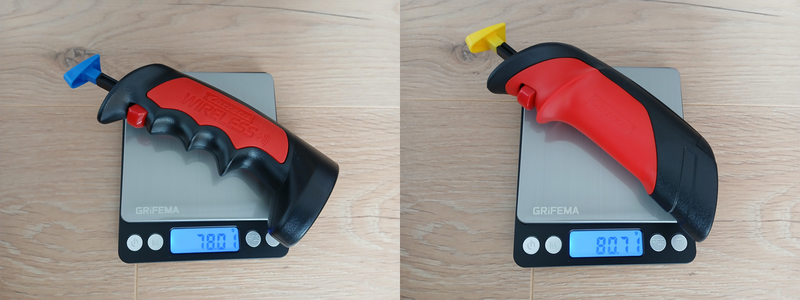
An important element worth comparing is the weight of the controllers, as we’re likely to be holding the controller in our hands for several long minutes.
It’s time to take out the road-track scale, which is more accurate than my kitchen scale.
- Wireless controller: 78 g
- Wireless controller 2.0: 80.7 g
The new controller with an alkaline battery weighs almost 3 grams more than the previous version with a Lipo battery. Three grams is certainly heavier, but only 3.5% heavier, a relatively negligible difference.
Batteries
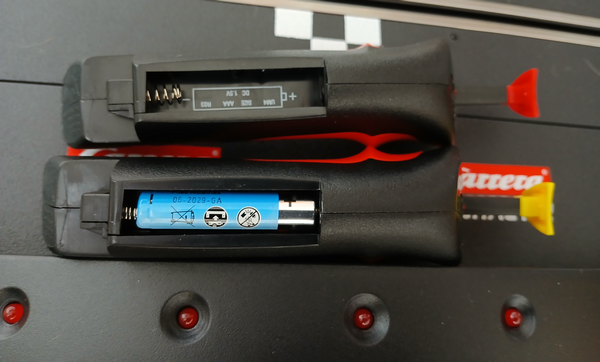
So, while we’re increasingly finding (LiPo) batteries instead of batteries in toys (especially RC cars), why is Carrera, which offered Lipo batteries in version 1, switching back to batteries?
Well, I think I know why.
If you play a lot with your track and controllers, all day long, or even organize competitions, there comes a time when the battery is empty. And then you need another battery. We don’t necessarily have the right model on hand. It’s not always easy to change. Whereas a stick battery is easy to find and change. In a few seconds, you’re back for hours of play.
And if you change the battery, to charge it, you need a controller. Carrera doesn’t offer a charger other than the controller on the stand. We end up thinking that we need two controllers, one to charge and the other to play, so we can swap them when the time comes. But you have to pair the controller each time. In short, all this isn’t practical.
For your information: The battery (ref. 89823) for the controller is sold for €15.49 on the Carrera website.
So for version 2.0 of the wireless controllers, a stick battery is required.
The battery (ref. 89823) for the controller is sold for €15.49 on the Carrera website.
The yellow card: Carrera doesn’t provide the two AAA batteries for the controllers. CARRERA radio-controlled cars come with a set of batteries for the remote controls. So why not provide them in a D132 box for €300?
Rechargeable Batteries
To avoid buying batteries too regularly, we often prefer to buy rechargeable batteries. The problem with these batteries is that their voltage isn’t 1.5V but 1.22V, which is 18.67% lower. Some devices don’t like such low voltage. I didn’t see any warning about this in the manual.
So I inserted a rechargeable battery, and the controller works without any problems.
Controller support
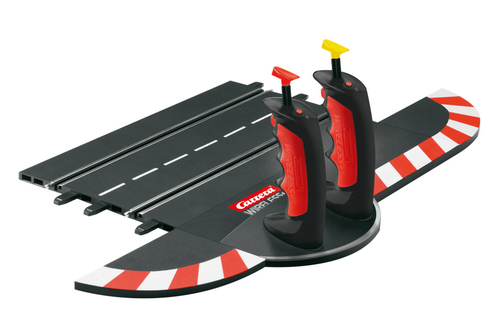
And what about the controller holder? Or what is it? Previously, to recharge the controllers, you had to place them on their trackside holder connected to a Rail Adapter Unit (ref. 20030360).
And no more need to charge, no more need for a holder, so you can no longer place them on the side of the track to store them. I admit it was really nice to see them lined up in the station.
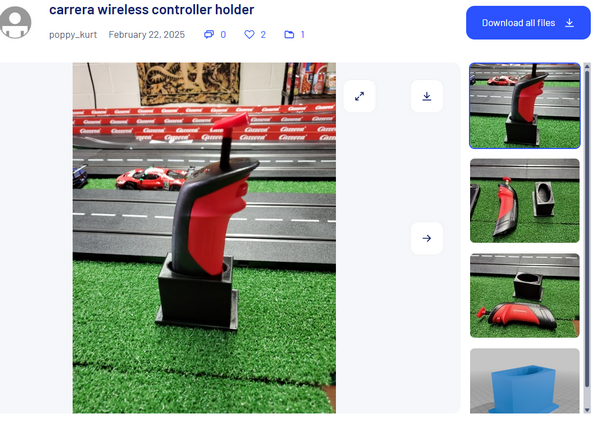
Fortunately, the magic of the internet, the CARRERA community and 3D printing meant that someone noticed this shortcoming and made us an STL file to correct it:
https://www.thingiverse.com/thing:6958056
You’re going to tell me that it’s not the same, that you can’t fix it to the edge of the track, that you can only put one controller on it. Yes, but that’s already good. At least the controller isn’t lying around in a drawer.
Price
Let’s compare the two versions a little.
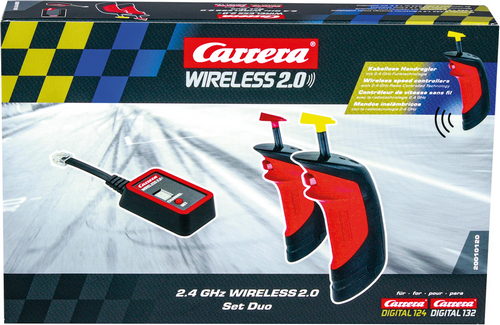
Starter Pack:
| Wireless 1.0 | Wireless 2.0 |
| Wireless Duo Digital sets Réf. 20010109 167€ | Wireless 2.0 Set Duo Digital Réf. 20010120 110€ |
|  |
Additional controller
| Wireless 1.0 | Wireless 2.0 |
| Controller Digital Réf. 20010111 62€ | Controller Digital Réf. 20010121 40€ |
Receptor
| Wireless 1.0 | Wireless 2.0 |
| Réceptor Réf. 20010112 31€ | Réceptor 2.0 Réf. 20010122 35€ |
List of items not included in Wireless 2.0 compared to Wireless 1.0
| WIRELESS+ Dual Wireless 1.0 Charging Station Réf. 20010113 20€ | Adapter Unit Réf. 20030360 25€ | External edge caps for curves (4) Réf. 20020598 €16 for 4 or €8 per pair |
By offering Wireless 2.0, CARRERA saves approximately €20 + €25 + €8 = €53 in hardware (value of accessories sold separately).
This value is consistent because it roughly corresponds to the price difference of the kits, which is €167 – €110 = €57.
The price difference is even higher.
However, if we now compare the price difference of the two controllers, i.e. (62 – 40) x 2 = €44, we should therefore have a larger difference.
Regarding the receiver, the new one costs €4 more.
The bottom line is that CARRERA sells this kit much cheaper but could do a little better. The prices in this review were based on the recommended retail prices on the CARRERA website. By searching online, you can find this set of two wireless controllers for under €90 and one controller for around €24.
The additional controllers are offered at a very attractive price, so if you want to manage up to 6 cars it will cost you much less than version 1.
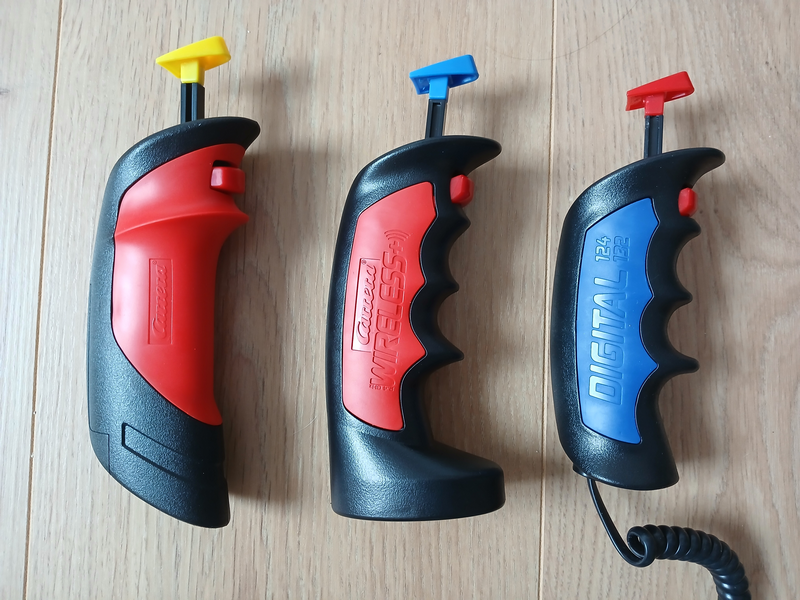
Comparison
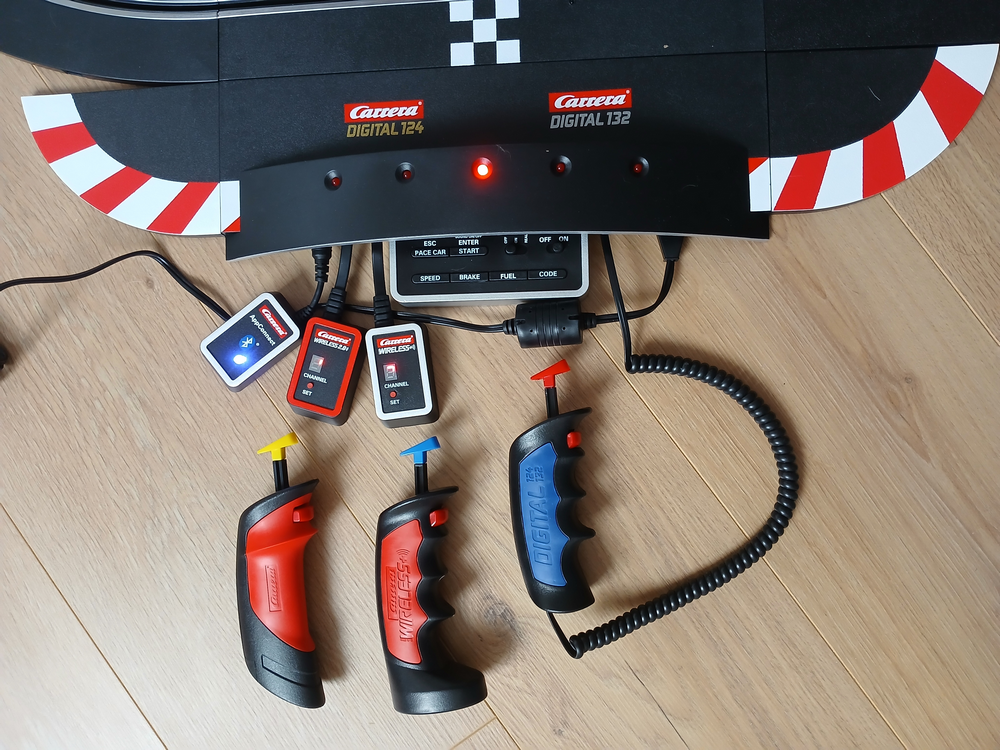
Opposite is a comparison between the new Wireless 2.0 controller and the previous model, as well as the wired version, which has not benefited from a design change.
Note that the colored ends of the buttons are all identical and therefore compatible (Replacement Cruise Control Button Part No. 20030800)
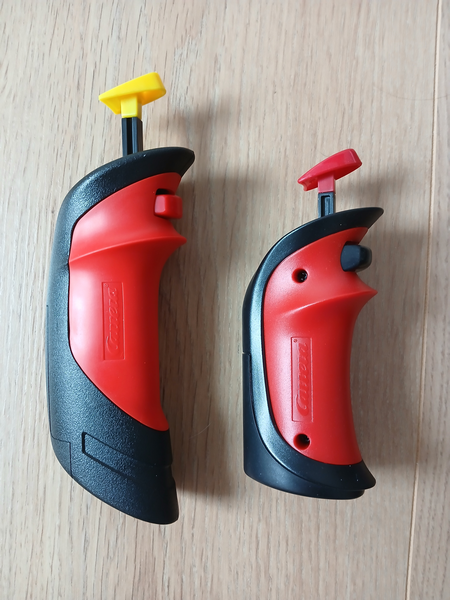
The new Digital Controller looks a lot like the wireless GO version, so we owe it to ourselves to do a quick comparison.
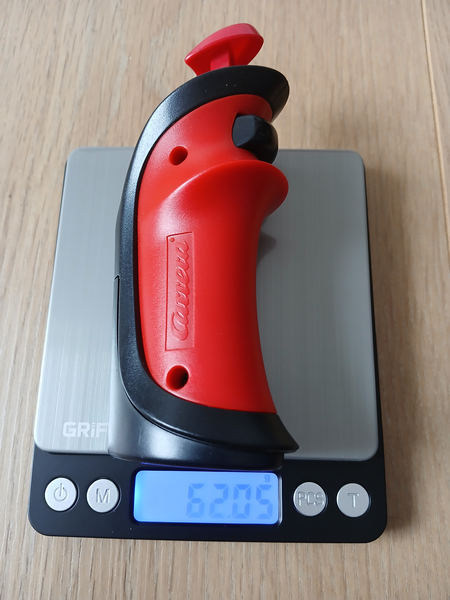
The design is identical, but the size is different to be more suitable for adults. (Although the GO range is very good for adults.)
We previously weighed the D132 controller, let’s do the same with the GO version.
- Wireless 2.0 Controller: 80.4g
- Wireless GO Controller: 62g
Both controllers are powered by a AAA stick battery and are just under 18g apart, which accounts for the size difference.
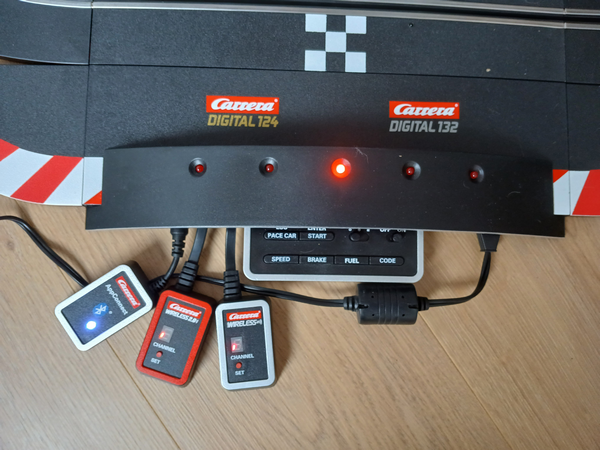
Mix controllers V1 and V2.0
Carrera is very kind, but I already have four wireless controllers and I don’t want to change everything.
Don’t worry, you can keep your four controllers and have two version 2.0 controllers, but with the 2.0 receiver.
A V1 controller can only be paired with a V1 receiver, and a V2.0 controller can only be paired with a V2.0 receiver.
However, you can connect both receivers to the power rail. Each receiver will then manage its own version of the controller. And just as you could mix wired and wireless controllers, you can also mix wired and Wireless 1 and 2 versions.
Conclusion
The new design of the Wireless 2.0 controller will certainly be debated, I will focus on the financial point because this version is much cheaper and will allow you to equip yourself more quickly to manage 6 cars on the track.
Wireless 2.0 controller Digital 132/124
Reference : 20010121
Indicative price : 40€
Wireless 2.0 Receptor
Reference : 20010122
Indicative price : 35€
Wireless 2.0 Set Duo Digital 132/124 (2 controller set un receptor)
Reference : 20010120
Indicative price : 110€