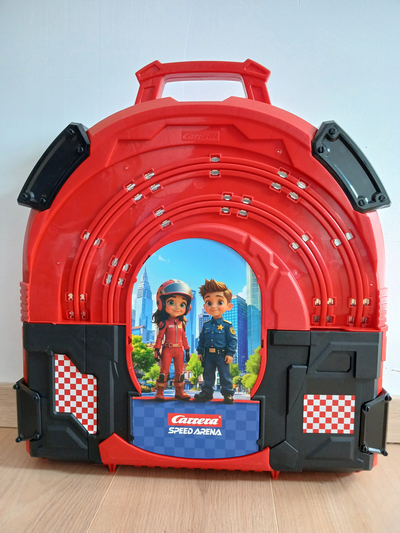
You own a Speed Arena, Race in Case, or Police Chase briefcase for racing wherever you go.
But let’s face it: the default designs can sometimes seem a little… plain, right? Once you have the briefcase, you might think you’d like something that better reflects your style.
The secret: everything is removable!
The good news, and this is what many people don’t know, is that the exterior and interior graphics are completely removable!
This is the key to complete customization! You don’t need to be a DIY expert to give your briefcase a makeover. Whether you want to:
- Display your favorite racing team’s logo.
- Create an ultra-realistic urban setting for your police cars.
- Set up a background that highlights a specific series from your collection.
…change is within reach!
Get ready to customize
The fact that these elements are removable means that you can easily:
- Remove the old image.
- Design or print your own custom design.
- Insert your new creation for a 100% unique look.
Dare to be original! Your briefcase will no longer be just a container; it will become a display piece in its own right.
Design
Now, let’s get down to business.
To guarantee a flawless result, the most crucial step is taking measurements and tracing the shapes. That’s exactly what I did to start this project!
I methodically measured the different elements (the exterior and interior bottoms of each compartment) and drew their exact shapes in my favorite graphic design software.
This step is non-negotiable. One millimeter too much, and your printed image might warp or not fit. One millimeter too little, and you’ll have an unsightly gap.
Why drawing software?
Working directly in software like Inkscape allows you to:
- Guaranteed accuracy: The digital dimensions are perfect.
- Reusable templates: Once you’ve taken the measurements, you have a template you can reuse for all your future designs.
- Easy printing: Printers need precise digital files, often in vector format, to guarantee optimal quality.
By creating these templates, you are not just making a drawing, you are creating the perfect canvas for your future personalized works of art.
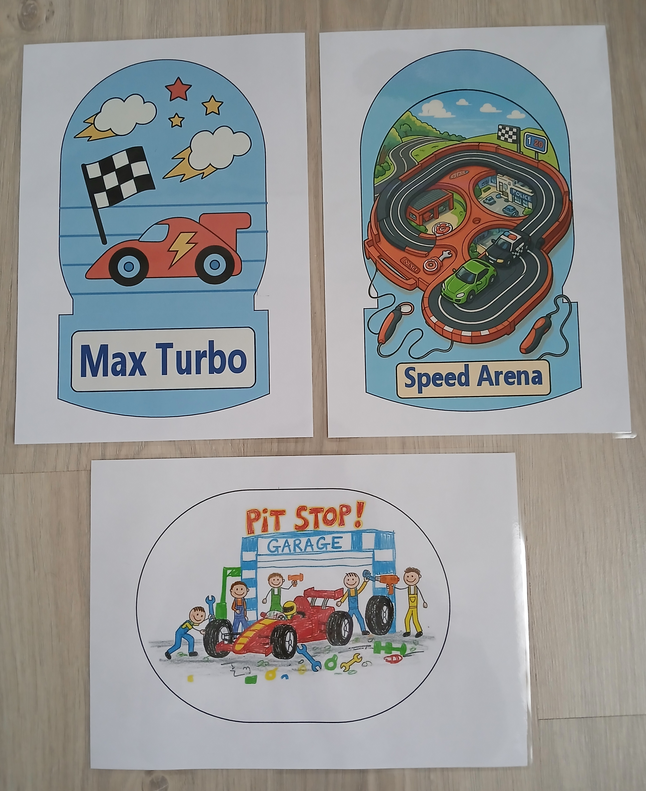
Once the outlines were drawn, I needed to figure out what to put inside. I wasn’t feeling very inspired, so I asked some AI to suggest ideas. Here are the three visuals I chose.
Preparation
We created our perfect templates, and we let our creativity run wild to design the new visuals! Now that these digital works of art are ready, it’s time to bring them to life.
Print: The Importance of Scale 1
The first step is printing. It is absolutely crucial to ensure you print at the correct size.
Once your visuals are prepared on the computer, you must print them at a 1:1 scale (1:1), without any adjustments or automatic scaling.
Good news! For Speed Arena cases, the size of these items is very practical: none of them is larger than a standard A4 sheet of paper.ndard. Cela signifie que vous pouvez très probablement les imprimer directement chez vous ou facilement dans n’importe quel centre de reprographie.
Lamination: Rigidity and Protection
Once printed, the visuals are still fragile. To ensure they look good in your briefcase and withstand the test of time and handling, I highly recommend a key step: lamination.
Why laminate?
- Protection: The plastic film protects the colors from moisture and yellowing.
- Rigidity: It stiffens the paper, making it easier to insert and giving it a more professional look (closer to the original card stock).
- Durability: It allows for easy cleaning of the surface if a small fingerprint appears.
It’s a small investment that makes a huge difference to the final result!
The Final Stage: The Cutting
Now it’s time to detach your creations from the sheet.
The cutting stage begins.
Whether you use a precision craft knife (recommended for straight edges) or a sharp pair of scissors, take your time. This is where the accuracy of the measurements taken earlier is crucial. This step should be carried out by an adult.
Set up
The Great Replacement: Removing the Old to Welcome the New
Our visuals are printed, laminated, and cut with surgical precision. Congratulations, you’re almost finished with this customization! It’s time to prepare the Speed Arena case to receive its new decorations.
Goodbye to the Old Carrera Visuals
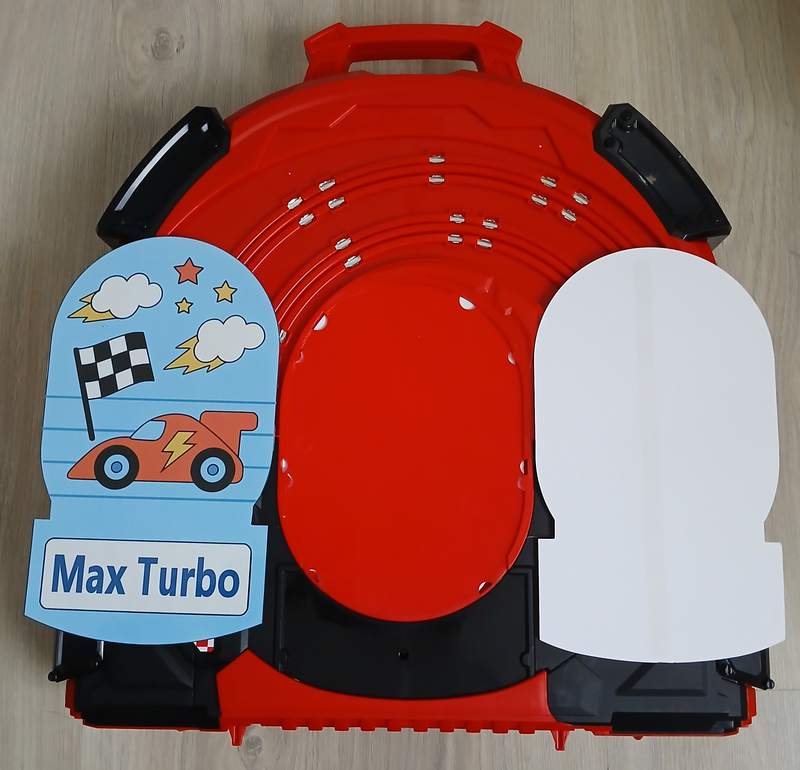
Before we can install our beautiful custom images, we first have to say goodbye to the original visuals, the ones provided by CARRERA.
Remember, the good news is that they’re removable:
- Start at the top: Simply lift the cardboard from the top edge of the case.
- Be gentle: Lift very carefully to avoid tearing it (you might want to keep it in case you resell it or change your mind).
- The adhesive is light: You’ll notice a small strip of double-sided tape, especially at the base. Don’t worry! This adhesive is generally not very strong and will peel off easily if you work gently and gradually.
Once removed, you will discover the blank interior of your briefcase, ready to be transformed!
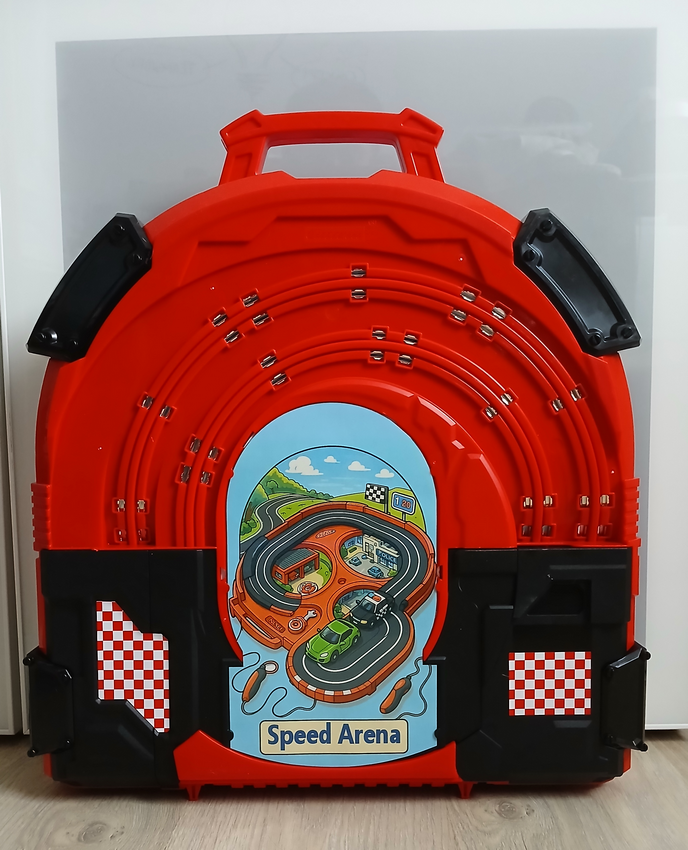
Final Check: The Final Adjustment
This is the moment of truth, just before final installation.
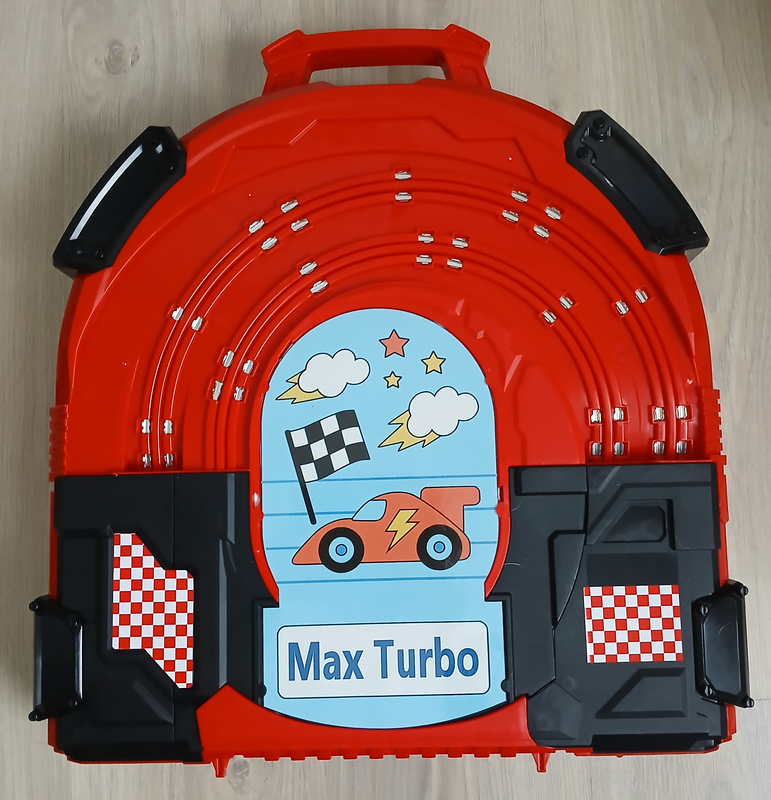
Once the old graphic is removed, check that your freshly cut graphics are the correct size by placing them dry in the case.
Even with the best measurements and the most meticulous cutting, a minor adjustment may sometimes be necessary.
- If the image is slightly too large and a bit tight, take the opportunity to precisely trim the edges with your scissors.
- If the image is perfect, congratulations, you’re a measuring pro!
Taking these few seconds to check and adjust guarantees a perfect fit and a professional result.
And there you have it, you just need to repeat the procedure if you want to do both sides.
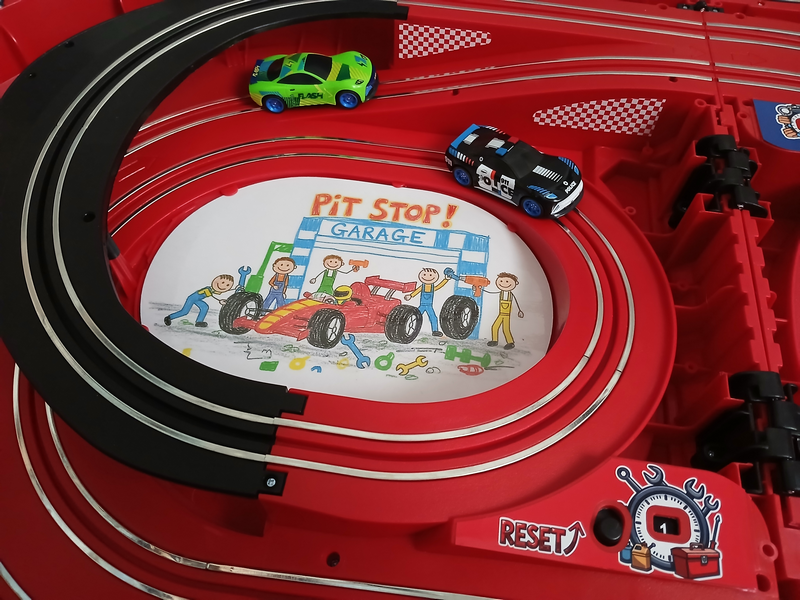
Interior
Inside the controller, there are two customizable areas. We can apply the same principle.
Replacement is simpler because the existing components don’t have double-sided adhesive to hold them in place.
The files
Of course, we’re not going to leave you to complete the entire design process. Below you’ll find the link to the source files.
You’ll find the source templates in SVG format, as well as a LibreOffice drawing file and its print-ready equivalent in PDF format (please note: select “scale 1”).
Downloadable files here: Pack Speed Arena 1